Web Page Help and Time Savers . . .
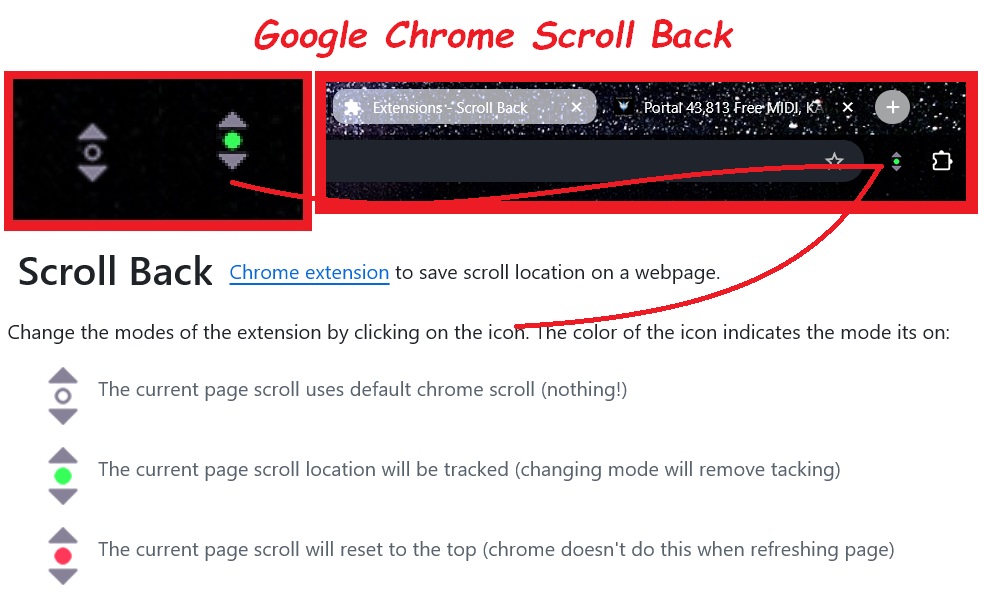
Click this Scroll Back button and set a tab at your page location!
Check it out below! If you don't like scrolling to find your place on
long websites, this is the ticket!
TOPICS COVERED . . .
1). How To Use The "Audio Player". (It does more than you think!)
2). Using the extention "Scroll Back" To Save Your Place On A Web Page!
It "remembers" where you left off last time you were on a web page!
When you open a web page, it auto scrolls to where you set the marker!
3). Using the "Skip Text" link on the workshop pages
Skips the text intro!
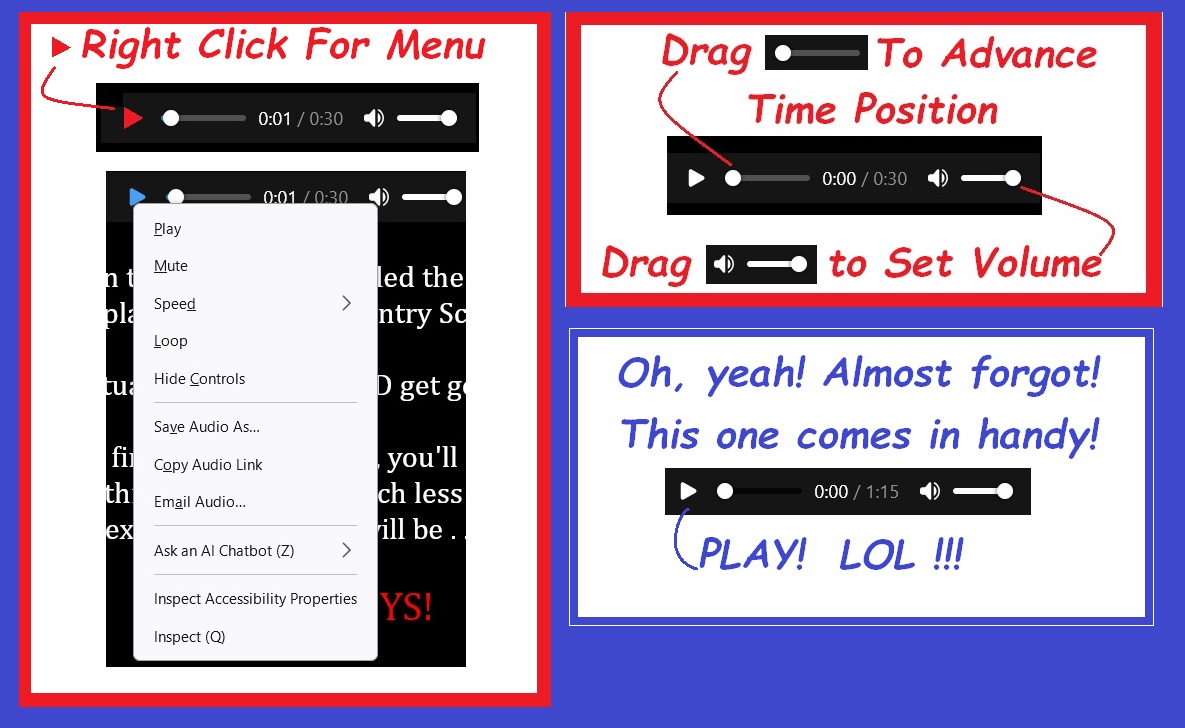
1). The Audio Player
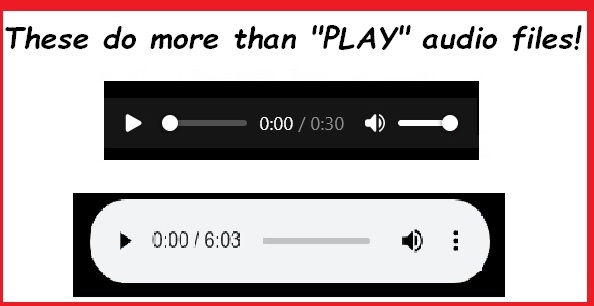
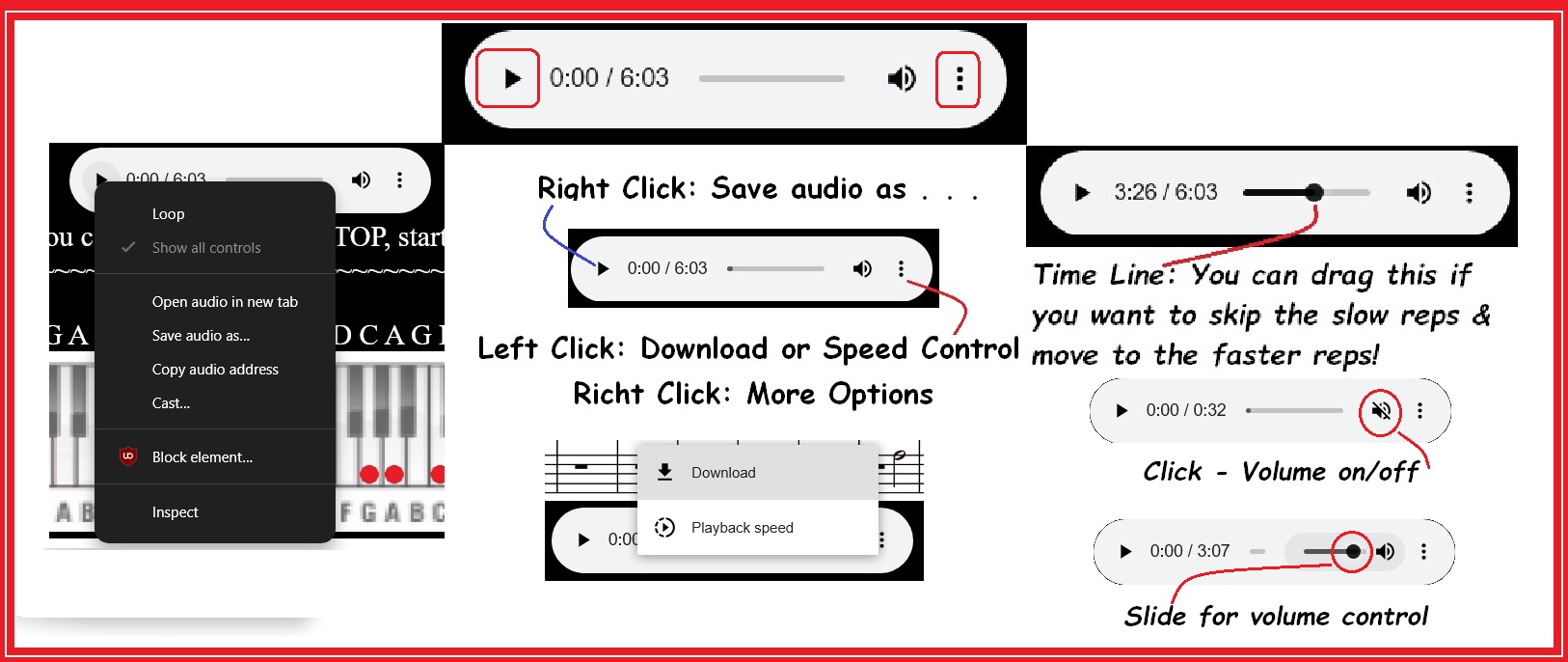
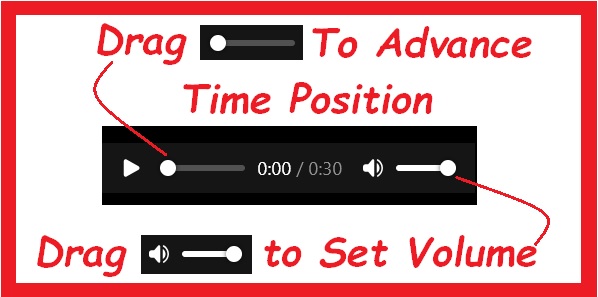
Different browsers use different audio playback designs. But they all do pretty
much the same things. Play a file. Control the volume. Control playback speed.
Loop (continuous play). Allow for downloading, or saving the file, etc.
2). Using the Scroll Back extension
Click on the icon, setting it to green, to save the current scroll position on a webpage.
The next time you visit the page, it opens where you left off. As long as you leave the
button green (on), it re-sets to where you leave off each time you do.
NOTE: I'm not advocating your use of this extension. I use it. But it's
your choice. I have had no issues with it. Be sure you download the extension
from a trusted source. Also, this works with Google Chrome. Firefox has a
similar tool. You need to do your homework if you want it.
3). Using the "Skip Text" link
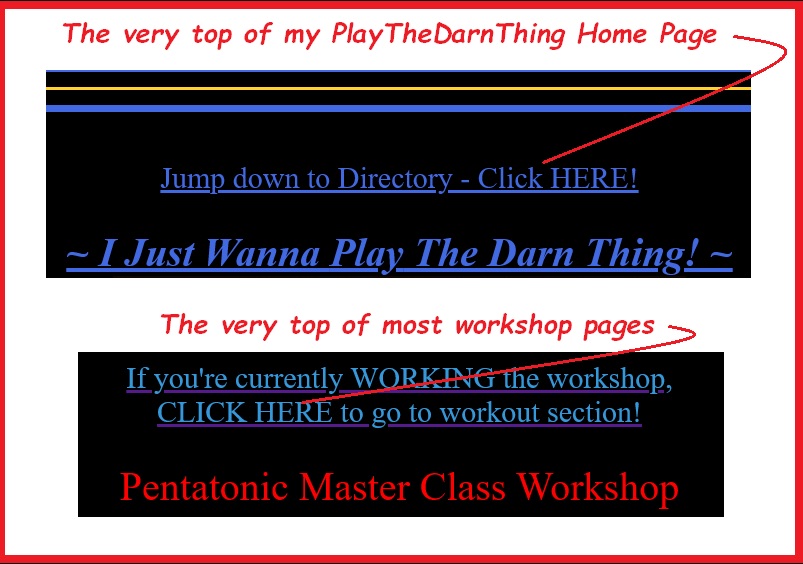
The first time you go to a workshop, you need to read ALL of the intro
text! But the next time you come back to the page, you can click the link
at the top of the page and go to the location indicated in the link description.
~

~
Skip the intro text!
There ya go. I hope you found this helpful!
Hope you found this interesting. If you did, please feel welcome
Please help keep us online with a small donation!
Visit the I Just Wanna Play The Darn Thing
Tutorials and Workshops home page here . . .
Play The Darn Thing
Contact me any time!
Got a question? Ask me! Or request a workshop topic!
Email me any time! ~/~
Wayne on Facebook
"I Just Wanna Play The Darn Thing" on Facebook
Play The Darn Thing on Facebook
Be sure to bookmark the workshop pages of personal interest.
to drop me a line. Email me, or drop me a PM on Facebook!
Check out my Backing Track Support Group
Visit my Musician's & Performer's Support Learning Group
The MidKar Website has 260+ pages! With over 43,813 FREE
backing tracks! SoundFont, MIDI editors and players and
more! All FREELY distributed!
Please Visit The MidKar Main Portal HOME Page
MidKar Portal Home Page

This site is free for all. The tutorials, workshops. 43,813 MIDI, KAR &
BIAB backing tracks files, 23 BIAB User Styles. A FREE SoundFont,
Timbres of Heaven. Free MIDI players and editor!
The fees for a site this large (Nearly 200 pages with over 50K files)
is pretty high, as you can imagine.
Please consider making a small donation to help keep us online. It
would help so much! Thanks! Wayne
PS: I pay for the site and all hosting, security and domain related
expenses out of pocket. Donations appreciated. Please click the link below.