Series vs. Parallel
Which pedal should I buy? Where do I put it in the signal path?
Try PARALLEL! Here's some food for thought!
Here's some of the process I went through while building my smaller grab n go
board. It covers a lot of bases.
My main board is pretty big. No issues with it. Sounds amazing! Does it all!
30 pedals, an 8 loop switcher, and A/B amp selector. But it has a large
foot print. And there are times when we play venues where the stage is
just SMALL! If we're playing that venue with my full 5 pc band, real estate
is crucial! Thus, I wanted to build a smaller board that will cover as
many scenarios as possible.
This post is only about TWO of the 15 pedals on the small board.
Actually, THREE!
When I built this board, even though I have more than enough pedals to build a
dozen more boards, (I'm a pedal junkie!) I wanted to go with new pedals. That
meant not only buying them, but doing all the things we tell you all you need
to do. Trial and error. What sounds best where.
Let's talk gain. I like warm tones. Not much into "crunch", don't play Metal.
Warm tones work for me. Santana, Clapton, Moore, etc. And Pink Floyd!
So my Comp is set, EQ is set. Mods and time based pedals set. Dialed in. And
start working on my gain tones. This was the process.
I LOVE Gilmour! And I play a ton of Floyd tunes, AND Santana tunes. The band
does half a dozen form each artist! Again, buying new, so did the usual YouTube
homework. Web searches. And I found 2 pedals, new to me. And they're
exceptionally good! (Ignore the wires! This was during initial trial & error!)

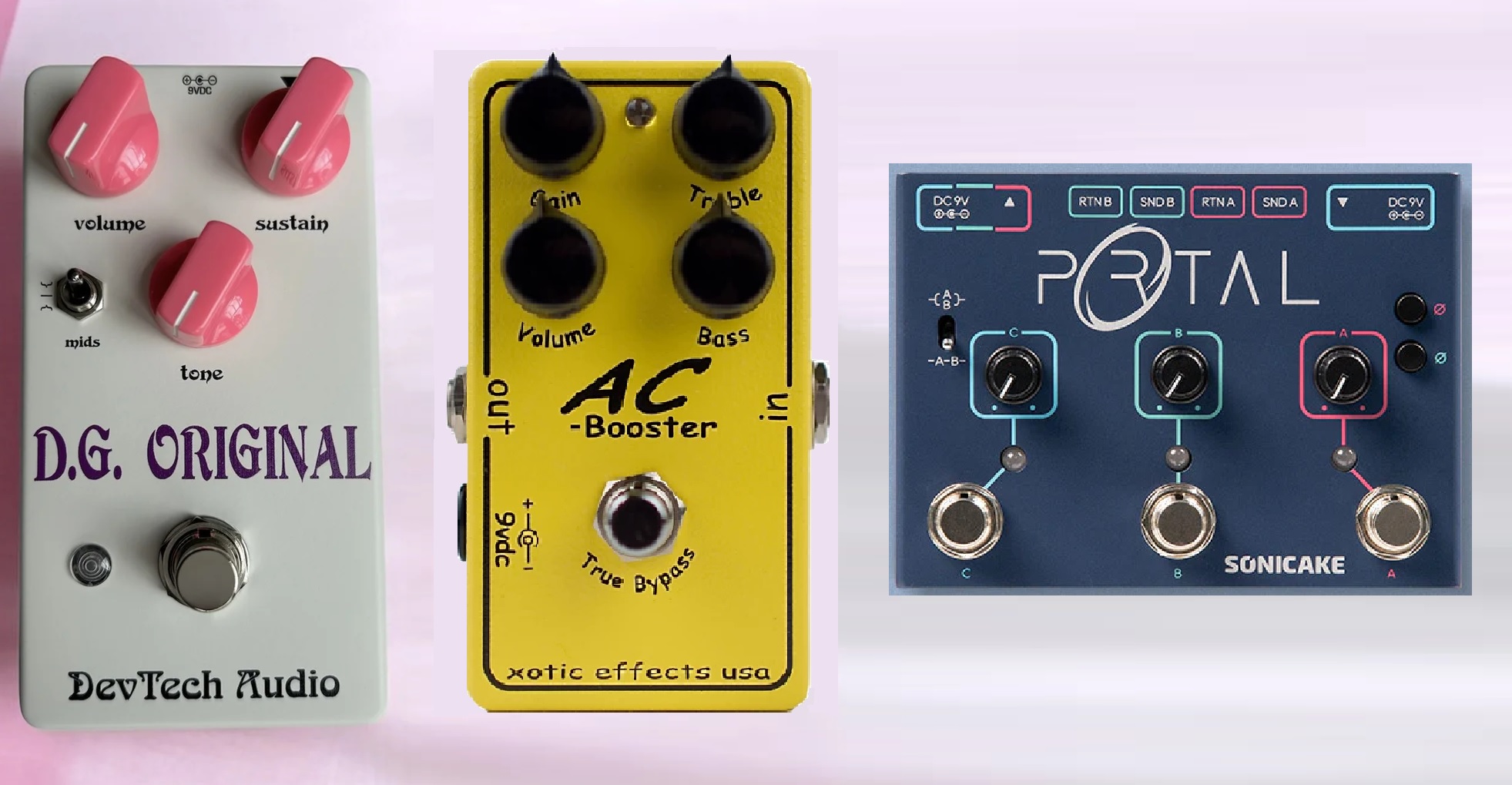
DevTech Audio D.G. Original (OD/FUZZ) and Xotic Effects AC Booster. I did the
usual. Which to put first? And yes, it makes a substantial difference! And for
me, hands down, the AC into the DGO was really outstanding! But admittedly, I
had a bit of an issue getting them to sound how I wanted them, when both on!
The AC is my base for rockers and heavier blues. I got a killer tone! And love
it! The Gilmour pedal does exactly what you think. And sounds equally amazing.
But together - you'd think it would rock the world! But it just didn't. They
didn't work "together" very well.
As in, together, it just lost some of the magic each one had on it's own. SO . . .
next step - run them PARALLEL!
Picked up another parallel mixer pedal. Ran the 2 in parallel. That means they
aren't literally connected together (series). Each one is fed to the output
separately. So you hear BOTH, not the two blended! (There is a blend control
for tweaking)
Dave Gilmour Original, Xotic AC Booster, Sonicake Portal
The difference was 100% totally fantastic! I have "either one", and "both
separate". You can actually hear (if you LISTEN) both pedal effects, distinctly,
and clearly. Picture 2 guitarists, using the same exact gear/rig. Playing the
same, identical solo, note for note. One using the DGO, one using the AC, then
both being fed to FOH!
If they are on different channels, and panned apart, one panned left, one right,
you'd hear BOTH if you were in the audience, right? But if they were both panned
dead center, you would hear them together, like one sound, one guitar. The sound
man could blend them so both are equal, or make one or the other slightly
dominant. That's what the BLEND control on the parallel mixer does!
You just run out of one pedal into one IN on the mixer, then OUT of the mixer
back into the pedal. Same for the 2nd pedal. OUT to IN, Out to IN!
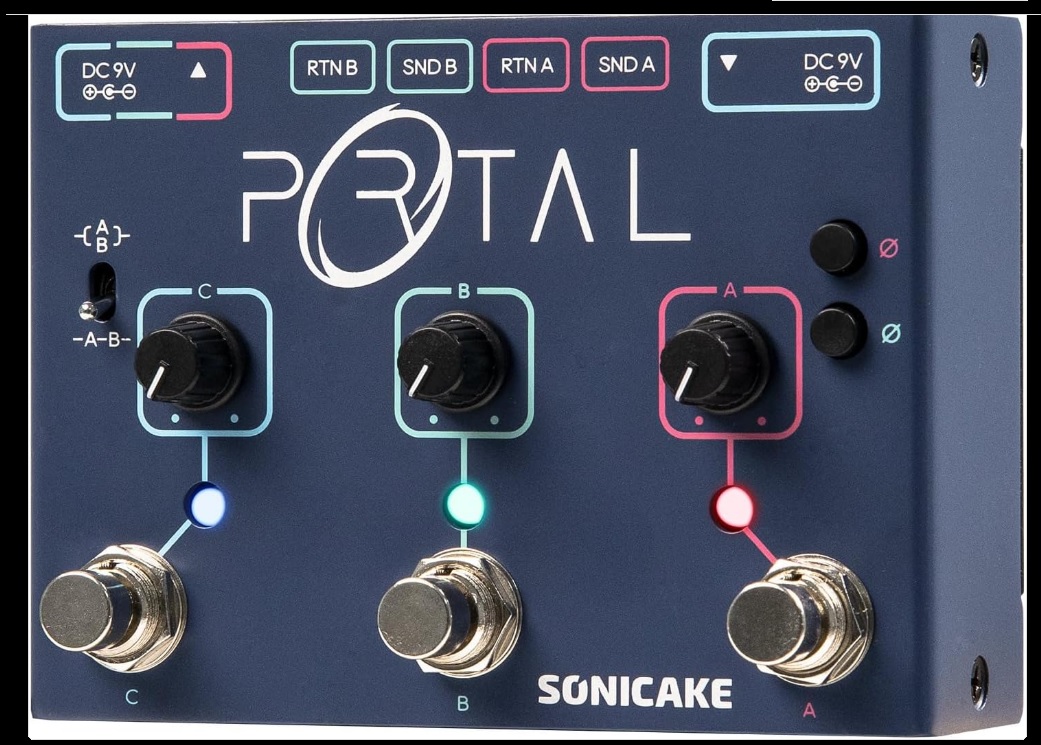

This essentially removes the issue of which to put first. Neither is "1st". They
aren't in series now!
FYI: My Flanger, Walrus Ambient and Chorus pedal run into a 3 loop parallel
mixer. Same deal. And yup, you can hear the guitar being "flanged", and
"chorused". The chorus sound coming out is not affected by the Flange! The
Flange sound is flanged only! Not affected by the chorus. And if the Ambient
pedal is active, too, you hear the guitar signal being affected by the ambience.
But that gorgeous echo is the guitar signal echoing, and not affected by the flange
or chorus. Even running 100% mono through a single amp sound GLORIOUS!
So, by going parallel with most of the pedals on the board, the exceptions being
the Tremolo and Delay pedals, it's like this . . .
You record a dry guitar track. Copy the track half a dozen times. On one COPY
(Never edit the original! Never! Just mute if needed!) I add chorus, flange, and
fairly heavy ambience. All smooshed together. And it sounds like what it is. And
getting the right amount of each effect blended is a pain! And just sounds
smooshed! (Lots of EQ tweaking required!)
THEN . . . (muting previous track!) I add each effect, only ONE to each of 3
tracks. So one track has only chorus, one flange, one ambience. Get each track
how I want it. Then start blending them together. And it's so much easier!
Right!
Let's look at some actual data. Some screen shots of the actual audio tracks/stems.
First let's look at some tracks that have all of the effects homoginized!
We take a raw guitar track, #1. Add Compression on #2. Then add EQ on top
of the Comp #3. Add Chorus on top of that on #4. Then some Flanger on #5.
The idea is to get more of a warm, synthlike tone. The chorus helps brighten
it up a bit. Adding the flanger is a bit like stepping on your Wah pedal,
Rocking it up until you find the tone you want, then leave it on.
So, look at each track as effects are added to it. Each addition gets rougher
and "smashed". Then, after you look at each track, play the short audio of
what the track sounds like over the rest of the track. (Stereo mix)

The audio clip is just the ONE final mixed track. The tracks stacking the
effects are off. So, it's one audio of the guitar with all the effects blended
in, and the drums, bass and keys tracks.
OK, you can hear that it's being "flanged". No audible chorus. And it's pretty
muddy. But it's at least approaching the goal. But how do I "fix" it from there?
I can't change the mix! All I can do is struggle to EQ the life out of the track,
and try to mix the volume. Maybe add in more of the original clean track. But
we're talking hours of work!
~~~~~~~~~~~~~~~~~~~~~~~~~~~~~~~~~~~~~~~~~~~~~
Now let's use a different approach. Let's make a bunch of copies of the
clean track. Add each effect to each track. Look at the results in the next
picture. Notice how each track looks "cleaner". Each track has ONE effect.

OK, the audio is an audio recording as I dial in each effect. There is a drum
fill on the measure before each new track is faded in. When I hear the sweet
spot, I back it off a teeny bit. Then start fading in the next track.
That's not how I'd do it to make a final track! I did it this way so you could
hear the changes as I added in each track!
There's a time line under the audio so you know what's being added, and when.
At those markers, I start sliding up the volume of the track. Fading it in.
NOTE: Somewhere between the last 2 added effects will be the finished sound.
The last 20 seconds is "close". But now it's only going to be a few minutes,
tweaking each track to get the final sound! And if one of the tracks isn't
working out, let's say the flanger isn't mixing so good, I just copy the raw
track again, and adjust the flanger parameters as needed.
Raw 10s Comp ~ 19s Comp 2 ~ 30 EQ ~ 48 Chorus ~ 1m8s Flange ~ 1m19s add OD
Same with grit! 2 tracks. One with the AC, one with the DGO. Then blend!
OK, here's another example, but now you understand the mechanics, so it'll be short!
Just 1 picture, one short audio clip! On one track I have a guitar using an
over drive with reverb. In the mixer you'd just add the reverb after the OD
in a loop, then run into the mixer. Guitar into OD into Reverb into mixer.
On the other track is a guitar using distortion, no reverb. Blending the two
gives me a different sound than eaither one alone. I made a recording that
plays both tracks together for a few bars, then just the OD/reverb, then the
Dist. Do that again. Then I play the OD/reverb on the left, Dist on the right
a few bars, then switch, Dist on the left, OD/Reverb on the right. Ending with
both like the beginning.
There's a timeline like the other clip. Notice the volume slider is a bit lower
on the track with reverb. Reverb adds gain! To balance out the sound, so both
are at unison, I lowered the volume a tad. You might need earphones to hear it!

BOTH OD 11S/DIST 16S/OD 23S/DIST 32S/OD L/DIST R 40S/OD R/DIST L 45S/BOTH 53S
~~~~~~~~~~~~~~~~~~~~~~~~~~~~~~~~~~~~~~~~~~~~~
THAT . . . that's how my board is set up. And I gotta say, I'm loving the tone!
Still finalizing the new board. Once it's 100% dialed in, I'll start the process
of fastening it all to the board. It's a PROCESS!
So nothing is fastened to the board yet! I do that AFTER I know I have the sound
and order I want! Once they are dialed in, I'll mount them!
I hope this sparks some interest in parallel signal chains, and gives you some
creative ideas! Happy playing to all!
NOTE: Once the board is done, I'll write a new tutorial about parallel vs.
series, with a bunch of audio and graphics, and add it to the tutorials and
workshops. Check out the other tutorials and workshops here!
~*~
Back to the Tutorials & Workshops Directory Page ~*~
Check out the new "Short Read" tutorial, PEDAL BOARD TIPS!
EZPZ way to make a "board", make a "board case"! And mounting tips!
Build a board and case at the same time! Plus, mounting tips!
Hope you found this interesting. If you did, please feel welcome
to drop me a line. Email me, or drop me a PM on Facebook!
Email me any time! ~/~
Wayne on Facebook
My Band Website
Check out my Support Group
I Just Wanna Play The Darned Thing!
My main backing Tracks Support Website with 43,813 free bacing tracks!
SoundFont, MIDI editors and players and more! All distributed for free!

Visit my MIDI website!
Please help keep us online with a small donation!
This site is free for all. The tutorials, workshops. 43,813 MIDI, KAR &
BIAB backing tracks files, 23 BIAB User Styles. A FREE SoundFont,
Timbres of Heaven. Free MIDI players and editor!
The fees for a site this large (Nearly 200 pages with over 50K files)
is pretty high, as you can imagine.
Please consider making a small donation to help keep us online. It
would help so much! Thanks! Wayne
PS: I pay for the site and all hosting, security and domain related
expenses out of pocket. Donations appreciated. Please click the link below.